 Skip to content

Roku is one of the few tech categories where the discount is genuinely predictable, because the hardware is sold near cost to get you onto the platform. Over Labor Day Weekend the sticks are the part that moves, while the Ultra and the soundbars hold firmer and wait for November. Everything below shows live pricing, so you can see which side of that line each model is on today.

Quick sale picks
The Roku hardware carrying real markdowns today. Check the model year in the title before the price, because several generations sit on the shelf at once and the older ones are not always the cheaper ones.



When Roku devices actually go on sale
Roku sells hardware close to cost and makes its money on advertising and the platform, which is why the discounts are frequent, shallow on the cheap models and deeper on the expensive ones. The calendar is unusually consistent as a result.
| When | What to expect |
|---|---|
| Black Friday and Cyber Monday | The best window by a clear margin. The entry sticks routinely drop to their all-time low and the Ultra sees its only substantial cut of the year. |
| January | Reasonable. Leftover holiday stock is cleared and the previous generation is discounted as the new lineup is announced. |
| February to April | Poor. The quietest stretch of the year for streaming hardware, with prices sitting at list. |
| Mid-July | Very good. The mid-summer sales event reaches Roku hard and the sticks often match their Black Friday price for a couple of days. |
| Late August to Labor Day | Good on the sticks and the Roku-branded TVs, which are cleared alongside the rest of the back-to-school electronics. The Ultra and the audio range barely move. |
| September to October | Moderate. Discounts continue on older generations while any newly announced model sits at full price. |
| Late November before Black Friday | Weak, and worth waiting out. Prices are frequently raised in early November so the Black Friday cut looks larger than it is. |
| Whenever a new generation lands | The most reliable discount outside the big events. The outgoing model is cut sharply and, for most people, is functionally identical to the new one. |
What actually counts as a good price
Because the hardware is subsidised, percentage off is a poor guide here and absolute price is the better test. These are the marks worth judging against.
Roku Express and entry sticks
The cheapest way onto the platform, and the model that goes lowest during sales. Below about twenty dollars it is close to a giveaway and worth buying on sight.
Streaming Stick 4K
The sensible middle of the range and the one most people should buy. It is the fastest of the sticks and the difference over the entry model is noticeable in daily use.
Roku Ultra
Rarely reduced outside November. Worth the premium only for wired ethernet, the lost-remote finder and Dolby Vision, which most people do not need.
Roku-branded TVs
Judge these by percentage, since they are televisions and they discount like televisions. The back-to-school clearance reaches them properly right now.
Roku Streaming Stick deals
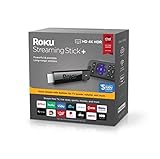
The model that suits most people, and the one that sees the deepest cuts. It draws power from the television in most cases, which removes the second cable that makes the Express untidy behind a wall-mounted screen.




Roku Express deals
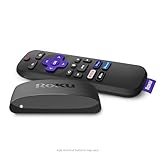
The cheapest entry point and a perfectly good one for a spare room or a guest television. It is slower to wake and to switch apps than the sticks, which matters more than the spec sheet suggests when you use it daily.


Roku Ultra deals
The top of the range, with an ethernet port, a headphone jack in the remote and the strongest wireless. Genuinely better hardware, though it is the model least likely to be reduced outside November.



Roku TV deals
Televisions with the platform built in, which removes the stick entirely and is usually the better answer if you were replacing the television anyway. These are cleared alongside the rest of the back-to-school electronics right now.





Where else to check today
Roku hardware is priced almost identically everywhere, so the reason to check elsewhere is stock on the specific generation you want and the occasional store-only bundle. These are the ones worth opening in another tab.
RokuBest for the full lineup
Best BuyBest for matching prices
WalmartBest for the cheapest sticks
B&HBest for accessories
Kohl’sBest with store credit
How to buy a Roku
Buy the Streaming Stick 4K unless you have a reason not to. It is the model that gets the balance right: fast enough that the interface never feels like it is thinking, cheap enough that it is not worth agonising over, and small enough to hide behind the television. The Express saves ten dollars and costs you a noticeable pause every time you switch apps; the Ultra adds features most people will never use.
Check the model year, not just the name. Roku keeps names for years across quite different hardware, so a listing for a Streaming Stick 4K might be the current version or one from three generations back. The year is almost always in the title, and an older generation at the same price is the most common way people overpay here.
Get the Ultra only if you need ethernet. The single genuine reason to spend the extra is a wired connection, which matters if your router is far from the television or your wifi is congested. The remote finder and the headphone jack are pleasant; they are not fifty dollars pleasant on their own.
Consider a Roku TV instead of a stick. If the television is more than about six years old, the money is better spent on a Roku-branded set than on a stick attached to an ageing panel. The platform is identical, the remote controls everything, and the back-to-school clearance is reaching these right now.
Ignore the refresh rate and HDR claims on the cheap models. The stick cannot add capability the television does not have. Buying a 4K Roku for a 1080p set gains you nothing but a slightly faster processor, which is a real benefit but not the one the box is advertising.
Buy a second remote before you lose the first. Roku remotes are paired to the device and replacements are cheap while the model is current and expensive once it is discontinued. This is the one accessory genuinely worth buying at the same time as the player.
Roku questions, answered
The bottom line
Buy the Streaming Stick 4K if it is under thirty-five dollars this weekend, which it often is, and do not agonise over the entry model to save ten. Skip the Ultra unless you specifically need a wired ethernet connection, and wait for November if you do. Check the model year in the listing title before you check the price, because that is where the money is quietly lost in this category, and look at the Roku-branded televisions if the set itself is getting old rather than attaching a fast stick to a slow panel.
